


Download Baidu Spark Browser – secure browser, privacy browser, fast web browser, download manager, ad blocker, virus scanner, screen capture tool, account protection, torrent download, media download
Overview
Baidu Spark Browser is a mobile web browser designed to deliver a secure and private browsing experience on Android devices. Positioned as an alternative to mainstream browsers, it emphasizes protection against online threats while maintaining a familiar interface for ease of use. The app targets users who prioritize digital safety, especially when accessing sensitive websites or managing login credentials.
Its core purpose is to minimize exposure to malware, intrusive ads, and unauthorized changes to privacy settings. The developer, Baidu, is a well-known technology company with experience in internet services, which lends credibility to the browser’s security claims. Real-world use cases include secure banking, private research, and managing multiple online accounts with confidence.
The browser’s integration of tools like a built-in virus scanner and ad blocker makes it particularly useful for users concerned about data privacy. In the broader mobile app ecosystem, Baidu Spark Browser fills a niche for users seeking enhanced protection without sacrificing usability. Although the developer did not provide additional technical details about performance benchmarks or data encryption methods, the app’s focus on security and its growing presence in the Android market indicate a strategic effort to meet rising user demand for safer browsing tools.
Key Features & Functionality
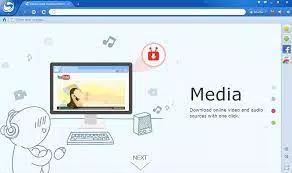
- Special Tools for Quick Access: Located at the top of the interface, these tools include Media Download, Torrent Download, Screen Capture, Downloads Manager, and Account Protection. They streamline common tasks, allowing users to initiate downloads or capture content without switching apps.
- Integrated Virus Scanner: This feature scans files before download to detect potentially harmful content, reducing the risk of malware infections during browsing sessions.
- Adware Blocker: Automatically filters out intrusive advertisements and malicious scripts, improving page load times and reducing distractions.
- Privacy Protection: Prevents other applications from altering the browser’s security and privacy settings, ensuring user preferences remain intact.
- Account Protection: Enables secure storage of login credentials for frequently visited sites, allowing quick access while minimizing exposure to phishing risks.
For example, a user researching sensitive topics can rely on the ad blocker and virus scanner to prevent tracking and malware. A content creator might use the screen capture and media download tools to save visuals or videos directly from the web. The torrent download function supports offline access to large files, though users should remain cautious about copyright compliance. The browser’s design allows seamless transitions from other popular browsers like Chrome due to its similar layout and navigation style. While specific performance data was not provided, the combination of utility and protection makes it a compelling choice for users seeking a balanced browsing experience.
Interface, UX & Performance
Baidu Spark Browser features a clean, intuitive interface that closely resembles Google Chrome, making it accessible to users familiar with mainstream browsers. The layout places essential tools at the top, ensuring quick access without cluttering the main browsing area. Navigation is straightforward, with standard tabs, back/forward buttons, and a search bar positioned for optimal reach.
The visual style is minimalistic, focusing on functionality over decorative elements. Although the developer did not list formal performance metrics, the browser maintains a generally quick connection, suggesting efficient resource management. Responsiveness varies depending on device capabilities and network conditions.
Some users may experience delays when clicking links, requiring multiple attempts to load pages. YouTube video playback has been reported to take longer than expected, and in certain cases, videos fail to load entirely. These inconsistencies may stem from how the browser handles streaming protocols or third-party content delivery.
Stability appears acceptable under normal usage, but prolonged sessions may lead to memory usage spikes. The app does not appear to crash frequently, though performance on older Android devices remains unverified. Overall, the user experience balances security with usability, though minor delays and streaming issues may affect satisfaction for media-heavy users.
Platform Compatibility & Technical Requirements
Baidu Spark Browser is available exclusively on the Android platform. It requires Android 6.0 or later, though the developer did not specify minimum OS requirements. The app has a file size of 146 MB, which is moderate for a browser with integrated tools and security features.
It is currently available in version 13.1.2, released on May 17, 2024. The browser is free to download and install, with no in-app purchases or subscription fees. Compatibility with different device categories such as smartphones and tablets was not fully disclosed.
Users are advised to ensure their device meets standard Android requirements for smooth operation. No additional permissions beyond those typical for a browser were listed. The developer did not provide detailed information about background processes, battery usage, or memory consumption.
Despite these gaps, the app functions as intended on supported devices, offering a secure browsing environment without requiring premium features.
Pros and Cons
Pros
- Enhanced security with built-in virus scanner and ad blocker
- Quick access to useful tools like screen capture and download manager
- Familiar interface similar to Chrome for easy transition
- Account Protection feature for secure login storage
- Free to download and use with no hidden costs
Cons
- Occasional delays in link responsiveness
- YouTube videos may load slowly or fail to play
- Performance on older or low-end devices not confirmed
- Limited transparency about technical specifications
- Some features may not work consistently across all websites
FAQ
Is Baidu Spark Browser safe to use?
Yes, the browser includes multiple security features such as a virus scanner and ad blocker to help protect users from malicious content and intrusive ads. However, users should still practice safe browsing habits.
Can I use Baidu Spark Browser on iOS devices?
Currently, Baidu Spark Browser is only available for Android. There is no official iOS version released as of the latest update.
Does the browser support extensions or add-ons?
The developer did not provide information about extension support. The browser focuses on built-in tools rather than third-party add-ons.
How often is the browser updated?
Version 13.1.2 was released on May 17, 2024. The update frequency is not publicly disclosed, but regular updates are expected to maintain security and performance.
Is my data stored securely?
Account Protection allows secure storage of login credentials. However, the developer did not specify the encryption method used for data at rest or in transit.
Final Thoughts
Baidu Spark Browser stands out as a reliable alternative for Android users who value privacy and security without sacrificing ease of use. Its blend of essential tools—such as media download, screen capture, and account protection—makes it a practical choice for everyday browsing. While it faces minor performance challenges, particularly with YouTube loading and link responsiveness, these do not overshadow its core strengths.
The app is especially beneficial for users who frequently manage multiple accounts, download content, or browse sensitive information. With a free price model and no in-app purchases, it offers strong value for users seeking a secure, feature-rich browser. For those looking to enhance their online safety while maintaining a familiar interface, Baidu Spark Browser delivers a compelling solution.
Download Baidu Spark Browser now.


